

ChatGPT and Canva for Freelancers are two of the most powerful tools modern professionals can use to work smarter in 2025–2026. When used together, these AI-driven platforms help freelancers create high-quality content, stunning visuals, and professional client projects faster than ever before. Whether you’re a writer, designer, or digital marketer, mastering ChatGPT and Canva for freelancers can save hours each week and boost your creativity and income.
Here’s a step-by-step guide to using these two AI tools together in 2025–2026.
If you’re exploring more tools like these, check out our Top 10 AI Tools for Freelancers 2025–2026.
1. Generate Ideas with ChatGPT 🤖
I usually start every new client project by asking ChatGPT to brainstorm 10 post ideas — it’s like having a creative partner that never runs out of suggestions. Most of the time the ideas I am getting is more beneficial and saves a lot of time.
Best ChatGPT Prompts for Freelancers:
- Write a client proposal for a web design project.
- Generate 10 social media post ideas for freelancers.
- Create a content plan for a personal portfolio website
💡 You can also see here AI tools for content creation guide for more ideas and real-world examples.
2. Draft Content and Copy ✍️
ChatGPT can write complete drafts, summaries, or scripts for videos. You can refine the text or turn it into social media posts, marketing content, or client proposals.
💡 Tip: Always review and tweak the AI output for your personal tone and accuracy.
3. Design with Canva 🎨
When my content is ready with the help of ChatGPT, I move to Canva for visuals help that match the message. It’s satisfying to see plain text turn into something that looks polished enough to show a client — all within minutes.
- Social media graphics
- Infographics
- Presentations
- Client proposals or marketing materials
Canva’s AI features generate templates, visuals, and layout ideas — making this combo a perfect creative partner for any freelancer.
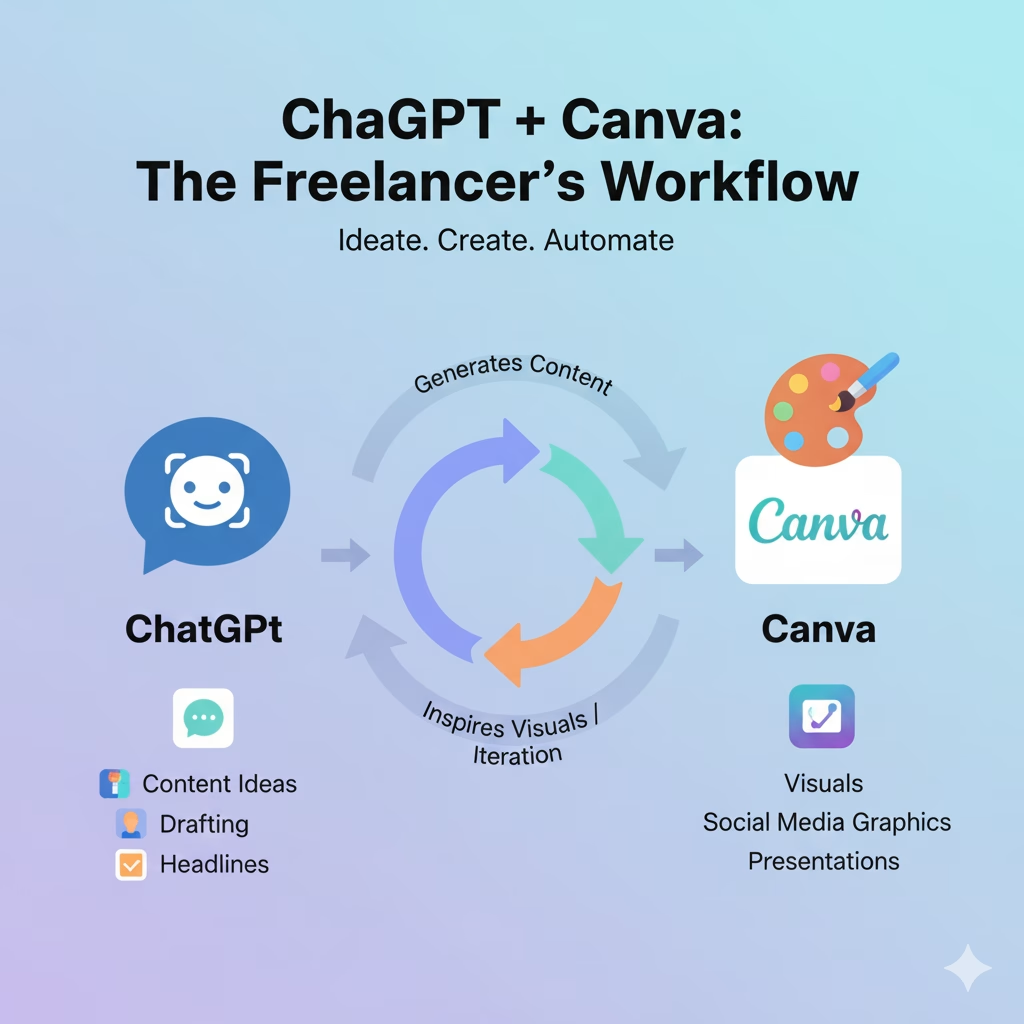
4. Combine Text and Design for Projects 💼
Example workflow:
- Use ChatGPT to write an Instagram caption.
- Use Canva to design a matching image or carousel.
- Export and post for clients or your own brand marketing.
I used to spend hours switching between apps, but now I just follow this ChatGPT → Canva workflow. What used to take half a day is now done before lunch — and clients love the fast turnaround.
5. Automate and Repurpose Content ⚡
You can use ChatGPT and Canva together to repurpose content across multiple formats:
For example, I once turned a single blog post into five Instagram carousels and one presentation deck — all with this process. It’s a great way to stretch your content and keep every platform active.
This maximizes your output without extra effort and keeps your content pipeline full.
6. Bonus Tips for Freelancers 🏆
- Use Templates in Canva: My favorite Canva shortcut is reusing templates. I just change colors and design for each client — it keeps my style consistent and saves me from starting from scratch every time.
- ChatGPT Prompts Library: Keep your favorite prompts ready.
- Batch Work: Generate multiple captions, graphics, or blog drafts at once.
- Stay Updated: Both AI tools constantly add features—check updates for new productivity hacks.
7. Real-World Examples of ChatGPT and Canva for Freelancers 🌍
Freelancers across industries are already transforming their workflows with these tools. For instance, a content writer can use ChatGPT to draft articles and then design blog graphics in Canva within minutes. A virtual assistant might use ChatGPT to generate email templates or reports, then turn them into branded visuals for clients. Even social media managers use ChatGPT and Canva for freelancers to plan, write, and design entire content calendars.
These real-world applications show that learning to combine AI tools like ChatGPT and Canva is no longer optional — it’s a competitive advantage for freelancers in 2025–2026.
Conclusion ✅
By combining ChatGPT and Canva for freelancers, today — even one project will show how much time you can save and how professional your results can look
Start experimenting with them today and see your freelance productivity soar in 2025–2026!
💡 Want more freelancing & AI tips?
Subscribe to our newsletter and never miss the latest tools and strategies for freelancers!


Pingback: Start Freelancing with AI Tools 2025–2026
Pingback: Top AI Tools Transforming Work: New AI Tools 2026